Download CourtZ Trial
Generate balanced games for your club in minutes.
Choose Your Platform
Download the version that best suits your device.
Latest version 3.3.1
Released 31 August 2026
What's new in CourtZ? View Version History →
🪟 Windows
Windows 10 or later
✓ Free 30-day trial
Download for WindowsIncludes a standard Windows Setup program.
Installing on Android
CourtZ is distributed directly from the CourtZ website as a standard Android application (APK).
Installing on Windows
Installing CourtZ on Windows only takes a minute or two.
These warnings are normal for new applications downloaded directly from a developer's website rather than through the Microsoft Store. As CourtZ becomes more widely downloaded, your browser may stop displaying the download warning.
On first launch, enter your club name and email address to begin your free 30-day trial.
Because CourtZ is downloaded directly from the CourtZ website rather than Google Play, Android may ask you to confirm that you wish to install it. Simply follow the on-screen instructions and then continue with the installation.
Need more help? Read the Android Installation Guide.
Help Us Improve CourtZ
CourtZ is a brand new application and we're continually improving it.
If you encounter any problems or have suggestions for new features, we'd love to hear from you. Email us at support@courtzapp.co.uk. Your feedback will help shape future releases.
See CourtZ in Action
Everything you need to organise a successful club session.
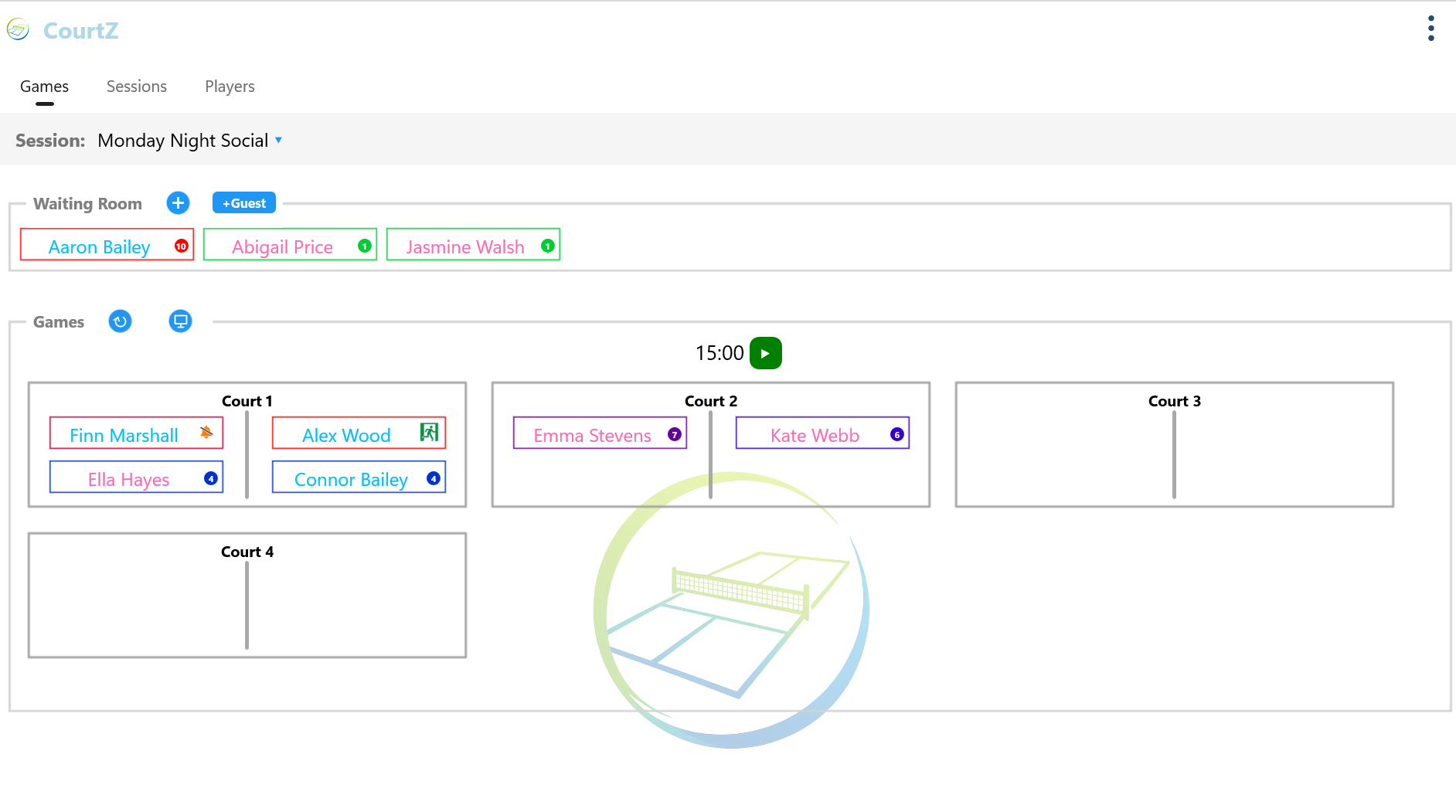
Getting Started
Once CourtZ is installed, you'll be generating your first games in just a few minutes.
The online User Guide explains every feature of CourtZ with step-by-step instructions.
Starting Your Trial
The first time you open CourtZ, enter your club name and email address to activate your free 30-day trial.
Ready to Get Started?
Download CourtZ, install it in just a few minutes and see how easily it generates balanced games for your club.
Every feature is included in the free 30-day trial.