courtz-website
Players
The Players page contains the master player list used by CourtZ.
This is the master record of every player. Session Profiles refer to players in this list rather than storing their own copies.
Because there is only one record for each player, changes such as updating a player’s name or Skill Level are automatically reflected wherever that player is used.
If you’re organising a one-off session, you can also add guest players directly to a session without adding them to the master player list.
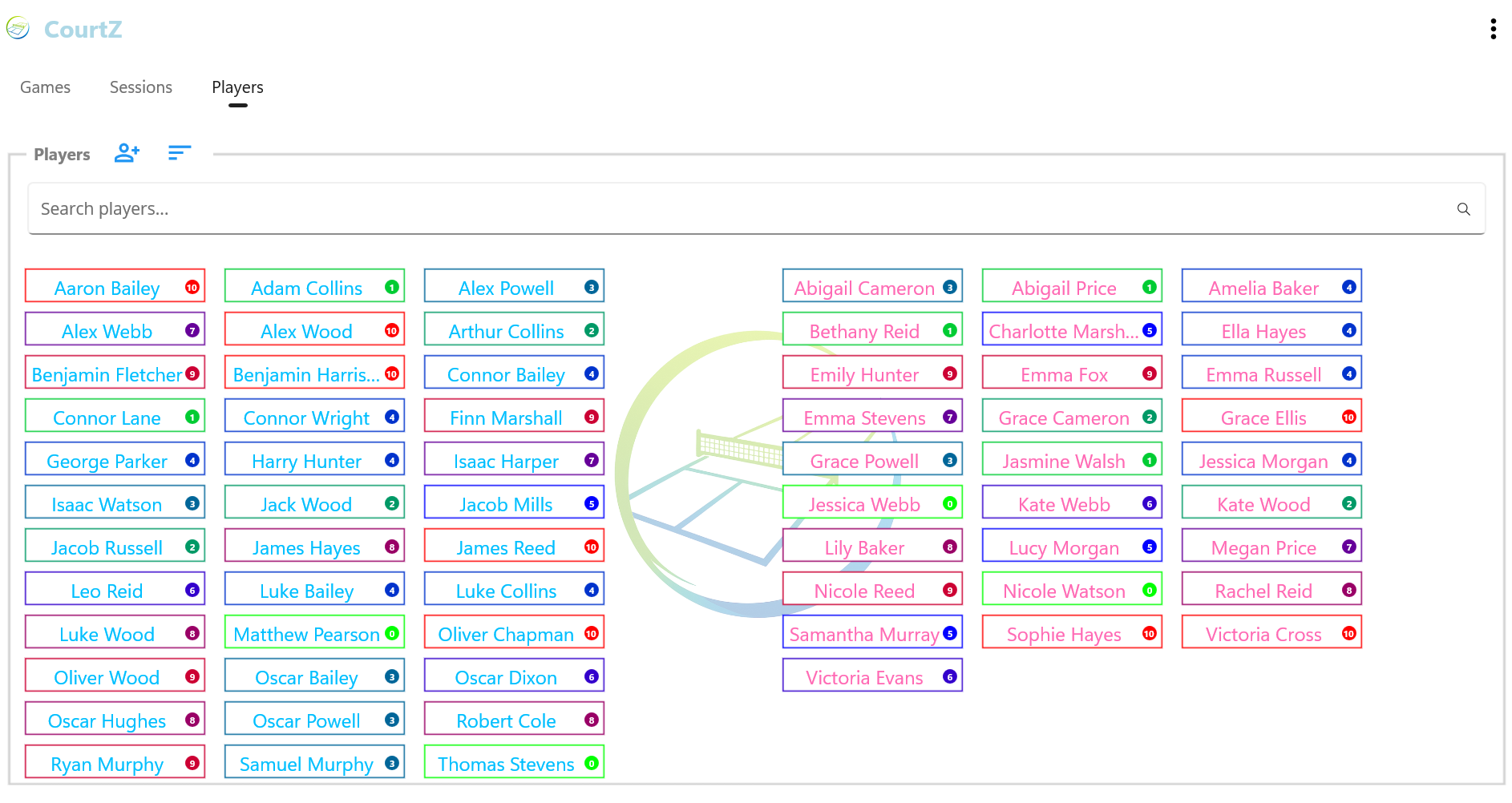
The Players page showing separate male and female player lists, searchable player records and colour-coded Skill Levels.
Creating a Player
To add a player:
- Open the Players page.
- Select Add.
- Enter the player’s name.
- Select Male or Female.
- Set the player’s Skill Level.
- Select Add to save the player.
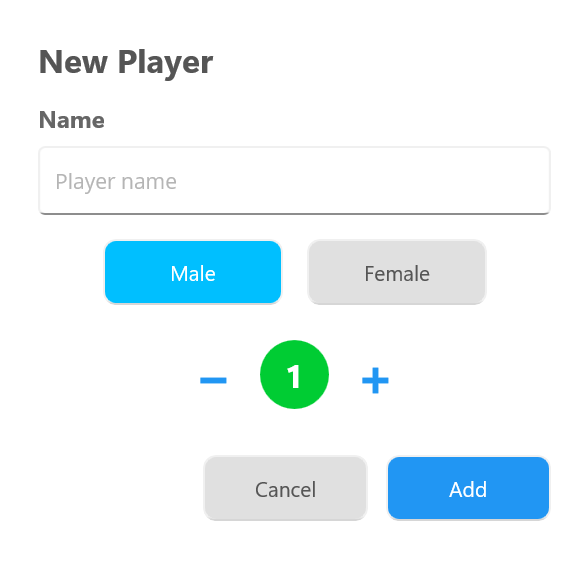
The New Player dialog is used to enter the player’s name, select their gender and assign an initial Skill Level.
The player is now available for use in any Session Profile or session.
Skill Levels
Each player has a Skill Level between 0 and 10.
- 0 represents a beginner.
- 10 represents an expert player.
CourtZ uses Skill Levels when generating balanced games. They don’t need to be exact—choose a value that reasonably reflects the player’s current playing ability.
As players improve, you can update their Skill Level at any time.
Player cards are colour-coded to provide a quick visual indication of ability:
- 🟢 Beginner
- 🔵 Intermediate
- 🔴 Expert
Editing Players
Player details can be updated whenever required.
Typical reasons for editing a player include:
- correcting a name
- changing a Skill Level
- updating other player information
Because Session Profiles refer to the master player list, any changes you make are automatically available wherever that player is used.
Deleting Players
To help prevent accidental deletion, players are deleted using a two-step process.
To delete a player:
- Tap and hold the player’s name.
- A red bin button appears beside the player’s name.
- Tap the red bin button within 3 seconds.

Tap and hold a player’s name to reveal the red bin button. Select it within 3 seconds to delete the player.
If the red bin button is not selected within 3 seconds, it disappears and the player is not deleted.
If the player belongs to one or more Session Profiles, CourtZ automatically removes the player from those profiles.
Additional Options
Select Options (⋮) to access additional actions for the Players page.
Delete All Players permanently removes every player from the master player list.
Use this option with care, as it cannot be undone.
Tips
Tip: Don’t worry about assigning perfect Skill Levels. They are intended as a guide for game generation and can be adjusted over time as players improve or as you become more familiar with their playing ability.
Related Topics
| ← Getting Started | 🏠 Help Home | Session Profiles → |